Every parent wants the same thing — a safe, calm, and nurturing space for their baby…
10 Tips To Limit EMF Exposure During Work-From-Home Hours

Working from home has become the new normal for millions of people worldwide.
While the convenience of having your office just a few steps away is undeniable, it also brings certain challenges—one of which is managing your exposure to electromagnetic fields (EMFs).
EMFs are invisible forces emitted by electronic devices such as laptops, Wi-Fi routers, smartphones, and even smart home appliances.
While research continues to explore the long-term effects of EMF exposure, many people want practical ways to protect themselves during work-from-home hours.
The good news is that with some simple adjustments, we can significantly reduce our exposure while maintaining productivity and comfort.
Here are ten actionable tips that empower home workers to create safer, more balanced workspaces.
1)) Prioritize Distance From EMF Sources
One of the most effective ways to reduce EMF exposure is to maximize the distance between yourself and EMF-emitting devices. EMF intensity decreases sharply with distance, following the inverse-square law.
- Laptop and computer placement: Keep laptops and desktop computers on a desk rather than your lap. Consider using a laptop stand to elevate the device, allowing airflow while creating distance from your body.
- Wi-Fi routers: Avoid placing your router near your primary working area. Ideally, position it across the room or in another part of your home to reduce constant exposure.
- Chargers and electronics: Never rest charging devices on your body. Instead, keep them on a nearby table or counter while charging.
Creating even a small buffer can drastically reduce daily exposure, making this a simple yet highly effective habit for EMF protection for home workspaces.
2)) Switch to Wired Connections When Possible
Wi-Fi is convenient, but wireless signals contribute significantly to EMF exposure. Using wired connections for the internet, keyboard, mouse, and headphones can reduce radiation without sacrificing performance.
- Ethernet for the internet: Replace Wi-Fi with a direct Ethernet connection. Not only does this reduce EMF exposure, but it also often improves internet speed and reliability.
- Wired peripherals: Swap Bluetooth keyboards, mice, and headsets for wired versions. You’ll eliminate a significant source of EMF in proximity to your body.
These changes may seem small, but cumulatively, they create a safer environment for extended work-from-home hours.
3)) Limit Wireless Device Usage
Wireless devices such as smartphones, tablets, and smartwatches are constantly transmitting EMF signals. Being mindful of usage can make a meaningful difference.
- Airplane mode: When not actively using your phone, enable airplane mode. This stops the device from constantly communicating with cell towers and Wi-Fi networks.
- Speakerphone or wired earbuds: Avoid holding your phone to your head during calls. Using speakerphone or wired earbuds reduces direct exposure to EMFs.
- Smart home devices: Smart lights, thermostats, and home assistants emit EMFs. Keep them at a distance from your main workspace and turn off unnecessary devices when not in use.
Adopting these habits is one of the most straightforward ways to practice EMF protection for home setups without disrupting daily routines.
4)) Optimize Your Workspace Layout
How you arrange your home office can significantly impact your EMF exposure. Thoughtful placement of furniture and electronics helps reduce prolonged exposure to high-emission devices.
- Desk placement: Position your desk away from electrical panels, smart meters, or high-traffic router areas.
- Monitor distance: Keep your monitors at least an arm’s length away, and consider using a monitor stand to elevate the screen while maintaining comfort.
- Declutter power cords: Organize power strips and cords to avoid excessive EMF hotspots near your body.
By designing your workspace with EMF awareness in mind, you create a safer and more comfortable environment that supports focus and productivity.
5)) Take Regular EMF Breaks
Continuous exposure, even at low levels, can be mentally and physically draining. Regular breaks not only improve focus but also reduce cumulative EMF exposure.
- Step away from devices: Every hour, take a 5 to 10 minute break from screens. Stretch, walk around, or step outside.
- Digital detox moments: During lunch or after work hours, consciously distance yourself from electronic devices.
- Alternate work locations: If possible, switch between rooms to avoid spending prolonged periods near EMF sources.
Frequent breaks act as a form of protection, helping you maintain wellness and reduce the potential effects of prolonged exposure.
6)) Use EMF Shielding Wisely
For those seeking an extra layer of safety, EMF shielding products can help mitigate exposure in high-use areas.
- Shielding fabrics and canopies: Available for desks, chairs, or entire rooms, these materials block certain frequencies from reaching your body.
- EMF-blocking mats or pads: Place these on your desk or under electronic devices to reduce radiation exposure.
- Low-EMF routers and appliances: Consider devices designed to emit lower levels of EMFs.
While not necessary for everyone, these tools offer peace of mind and a tangible way to enhance EMF protection for home workspaces.
7)) Monitor EMF Levels
Understanding your exposure is a critical step in managing it effectively.
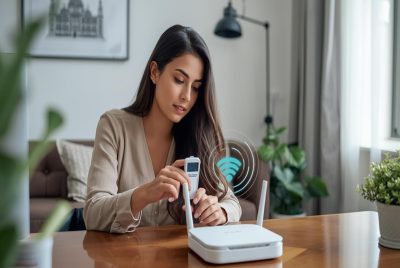
EMF meters allow you to identify hotspots and make informed adjustments.
- Spot high-EMF areas: Measure different parts of your home office to locate devices or positions with elevated EMF levels.
- Adjust device placement: Once hotspots are identified, move devices or yourself to reduce exposure.
- Track changes over time: Reassess periodically, especially when adding new electronics or smart devices.
Monitoring transforms vague concern into actionable insight, giving you a clearer picture of how to maintain a safer workspace.
8)) Practice Smart Charging Habits
Devices emit more EMFs when actively transmitting data or charging. Small adjustments to charging habits can make a significant difference.
- Avoid charging near the body: Keep laptops, phones, and tablets on a nearby table instead of your lap or bedside.
- Unplug when not in use: Disconnect devices once fully charged to reduce unnecessary EMF emission.
- Charge overnight strategically: If possible, keep devices in another room during sleep to minimize nighttime exposure.
Charging habits are an often-overlooked component of EMF protection for home setups, but they can contribute greatly to overall exposure reduction.
9)) Incorporate Grounding and Holistic Practices
While evidence is still emerging, many people find that grounding—or direct contact with the earth—helps with overall wellness when balancing technology use.
- Walk barefoot outdoors: Spending time in nature allows your body to naturally dissipate electrical charge.
- Use grounding mats or sheets: For those spending long hours at a desk, grounding mats can help create a subtle connection to the earth.
- Balance technology with wellness: Combine EMF-conscious habits with adequate sleep, hydration, and movement.
These practices don’t replace other EMF precautions but can enhance overall resilience and well-being.
10)) Educate Yourself and Stay Updated
EMF research continues to evolve, and staying informed empowers you to make better choices for yourself and your family.
- Follow credible sources: Look for peer-reviewed studies or reputable EMF protection organizations.
- Join communities: Forums and social media groups focused on EMF awareness provide tips, product reviews, and real-life experiences.
- Adapt as needed: As technology changes, update your habits to maintain a safer environment.
Knowledge is power, and a proactive approach ensures that your home office remains both productive and mindful of long-term health.
The Tri-Field EMF Meter – Model: TF2 is the perfect tool for anyone working from home who wants to monitor and reduce EMF exposure. This versatile meter detects magnetic, electric, and radio/microwave fields, including 5G, Wi-Fi, Bluetooth, smart meters, and cell towers. With its dual-mode display, you can see both standard and weighted frequency readings, helping you understand the EMFs that could affect your body. Easy to use and highly accurate, the TF2 empowers you to create a safer, healthier home office environment.
Buy the Tri-Field EMF Meter on Amazon!
Conclusion
Working from home offers flexibility and convenience, but it also means more hours spent near EMF-emitting devices.
By implementing practical steps such as maintaining distance, using wired connections, optimizing your workspace, and taking regular breaks, you can significantly reduce your exposure while preserving productivity and comfort.
We can approach EMF protection for home offices as an empowering, positive process rather than a source of anxiety.
Each small change—from moving your laptop to using wired peripherals—adds up over time, giving you a safer, healthier, and more focused work environment.
With these ten tips, we can create home workspaces that are not only efficient but also mindful of our long-term wellness.
Protecting yourself from EMFs doesn’t have to be complicated; it’s about making informed, practical choices every day.

More to Explore